A sellable online listing needs more than a bright product photo. Build one factual product brief covering exact identity, contents, package, images, documents, order unit and unresolved questions; then keep every channel consistent with that brief.
Use a single product-information record
Start with the exact SKU and the image that belongs to it. Separate confirmed facts from fields awaiting confirmation. Do not copy broad catalogue language such as universal compatibility, certification, bestseller status or age claims into a listing without model-level evidence.
Complete these seven fields
- Identity: SKU, product title, product form and the supplier reference.
- Contents: piece count, shapes, accessories and what the customer receives.
- Package: retail pack type, dimensions or weight only when confirmed, language and included instructions.
- Images: matching hero image, contents view, package panels and scale/use image; label anything illustrative.
- Use context: intended play or learning setting stated cautiously, with age or market wording confirmed for the model.
- Documents: available model-matched test or conformity evidence and the limits of its coverage.
- Order fields: order unit, MOQ, preparation timing, carton and shipping inputs confirmed in the quote.
Before publishing, compare the title, images, bullets, FAQ and checkout fields against the same SKU record. One mismatched image or piece count can create avoidable support and return work.
A city listing and a farm listing need different evidence
MBP-010 and MBP-011 both carry 100PCS in the product record. That common number does not make their content interchangeable. City photography shows construction graphics and road layouts; farm photography shows farm buildings and character imagery. Treat these as the start of an asset request, not a substitute for the final packed contents.
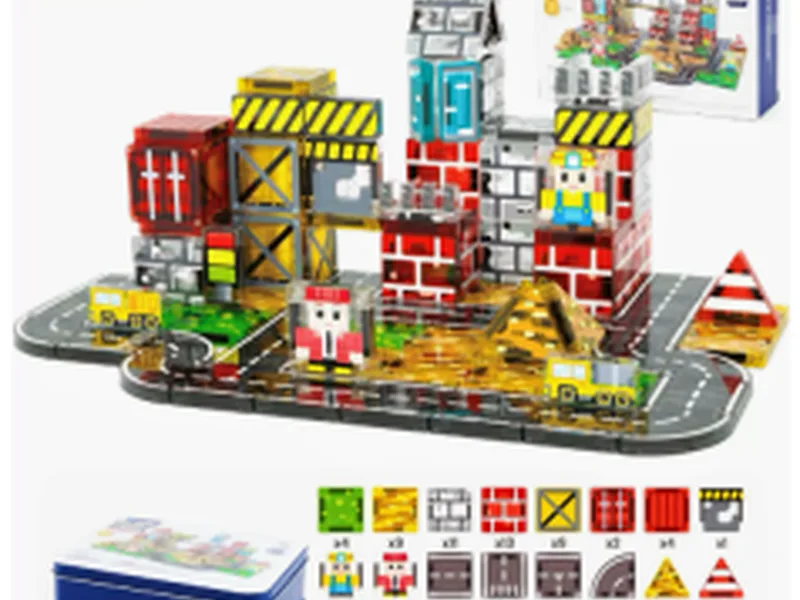
100PCS City Construction Magnetic Blocks Set
MBP-010 · Use this exact city reference for city-scene listing evidence. Request the current contents and packing before publishing.
View product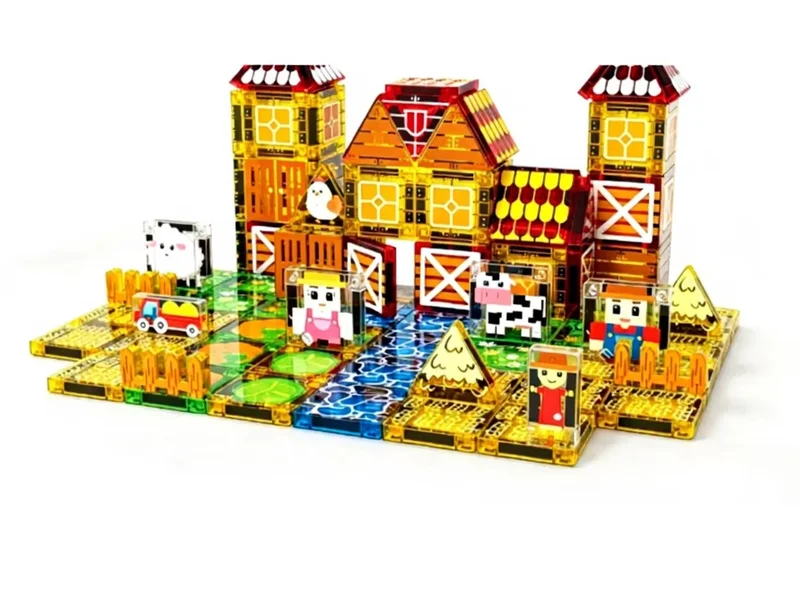
100PCS Farm Life Magnetic Blocks Set
MBP-011 · Use this exact farm reference for farm-scene listing evidence. Keep farm imagery, component names and customer answers separate.
View product| Listing field | City record | Farm record | Release rule |
|---|---|---|---|
| Product identity | MBP-010, 100PCS city | MBP-011, 100PCS farm | Title, barcode association and internal SKU agree |
| Included contents | Confirm road, building and vehicle-related items | Confirm farm structures and animal-related items | Count sheet and packed sample match |
| Hero and detail photos | City image only | Farm image only | No props presented as included contents |
| Unresolved fields | Age, package and market files | Age, package and market files | Pending facts are not published as claims |
Make a listing release packet, not a folder of loose pictures
Keep one packet per SKU containing the approved contents list, image filenames, package panels, final copy, destination-market confirmation and the approval date. Name the owner of each unresolved field. A designer should not have to infer whether the city photo or farm photo belongs to a particular listing variation.
Separate retail-package dimensions from master-carton dimensions and gross shipping weight from any product-only weight. Request the measurement basis explicitly. Fulfillment fields should not be filled using another SKU or inferred from the piece count.
For multilingual listings, maintain the SKU and quantity consistently across languages. Translate the approved content rather than letting each channel create a new specification. If a platform requests evidence you do not have, obtain it for the actual model; this article does not promise platform acceptance.
Control revisions after launch
- Record the supplier change notice or new sample version.
- Compare the contents, package and photos against the live listing.
- Update only affected fields and keep the previous approved packet.
- Check every channel and variation association, including customer-facing FAQs.
- Log the release date so customer questions can be traced to the version they saw.
For either SKU, an unsupported accessory promise is more useful to fix than adding another generic “STEM” adjective. The goal is a customer who can tell what arrives, not a page that sounds impressive.
Ask these questions before launch
- Does the photo show the exact SKU and current package?
- Is every piece-count and accessory statement traceable to the approved record?
- Which age, document and market statements still need confirmation?
- What is the order unit and what does one carton mean?
- Which image files may the seller use, and are they current?
Use the RFQ checklist to request missing fields and the return-prevention guide to connect listing accuracy with support data.
FAQ
Should a listing use generic catalog claims?
No. Use the exact SKU record and confirm model-specific facts first.
Which images matter most?
Use the matching product image, contents, packaging and an accurate scale or use view.
What should sellers ask before listing?
Ask for contents, package fields, documents, image permissions, order unit and unresolved fields.
Request a product-data sheet
Send the SKUs and sales channels you plan to use. MagBlockPro can identify the product, image and confirmation fields needed for a consistent listing.